Billing (Cost Tracking)
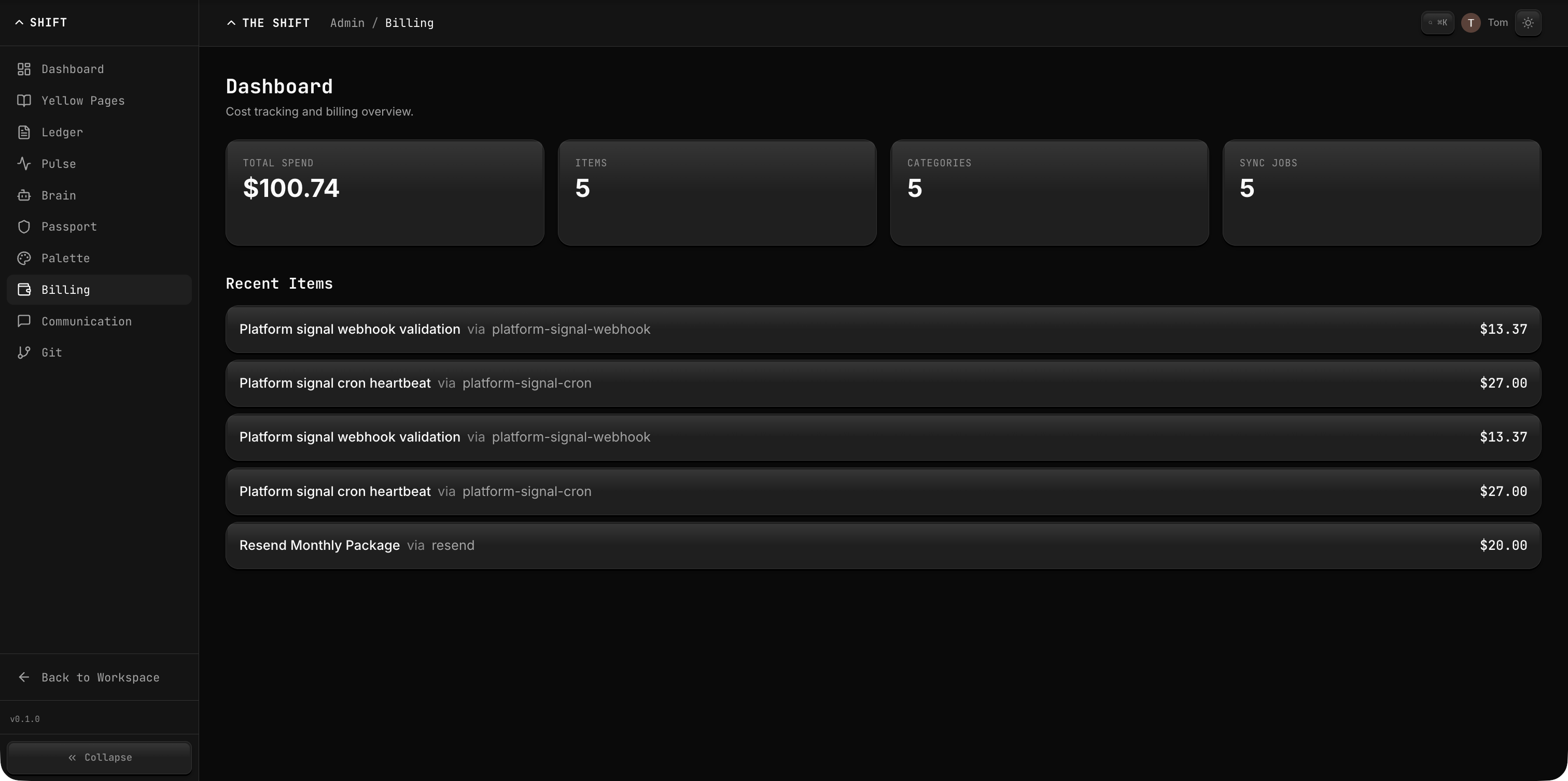
Billing is the cost tracking and usage-based billing service for the Shift Platform. It tracks infrastructure costs across cloud and SaaS providers, generates spending reports, and supports automated syncing from provider-specific adapters such as GCP BigQuery export.
What It Does
- Cost Tracking — Record billing items with amounts, categories, tags, and provider references.
- Category Management — Organize costs into hierarchical categories with colors and descriptions.
- Reporting — Generate summaries, breakdowns (by provider, category, service, tag), and trend analysis.
- Provider Sync — Automatically import costs from cloud and SaaS providers with deduplication by provider reference.
- Full-Text Search — Search across billing items by name, description, provider, and tags.
- Yellow Pages Integration — Link costs to services in the catalog via
serviceId. - Feature Attribution — Attribute spend to platform capabilities such as
inference,communication, orstage.
Key Concepts
| Concept | Description |
|---|---|
| Billing Item | A single cost entry with amount (in cents), date, provider, and metadata. |
| Billing Source | A configured provider profile that tells an adapter where to ingest billing data from. |
| Category | A hierarchical grouping for organizing costs. |
| Sync Job | An automated import operation from a cloud provider. |
| Report | A computed view of spending (summary, breakdown, or trend). |
Configuration
| Setting | Value |
|---|---|
| Storage Directory | .billing/ |
| API Dev Port | 4010 |
| Web Dev Port | 4110 |
| Gateway Prefix | /api/v1/billing/* |
Amount Convention
All amounts are stored in cents (integer) to avoid floating-point precision issues. The CLI accepts dollar amounts (e.g., --amount 10.50) and converts to cents internally.
Getting Started
Initialize billing:
shift-cli billing init
Add a cost entry:
shift-cli billing item add --name "GCP Compute" --amount 10.50 --provider gcp
Or via the API:
curl -X POST http://localhost:3000/api/v1/billing/items \
  -H "Content-Type: application/json" \
  -d '{"name": "GCP Compute", "amount": 1050, "provider": "gcp"}'
View spending:
shift-cli billing report summary --from 2026-03-01
shift-cli billing report breakdown --by provider
shift-cli billing status
Local GCP Sync
billing init now scaffolds a disabled gcp-bigquery source profile in .billing/config.json. Fill in the BigQuery export identifiers, set enabled: true, and then run:
shift-cli billing sync run gcp-bigquery --source platform-gcp --from 30d
Authentication supports either:
- explicit access token via
--tokenorGCP_BIGQUERY_ACCESS_TOKEN - ADC / service account via
authMode: "adc"and optionallycredentialsFile
For stage, prefer ADC or a mounted service account credential over user access tokens.